![floq-logo-by-cc-2-white@2x.png]](https://knowledge.conferencecompass.com/hs-fs/hubfs/floq-logo-by-cc-2-white@2x.png?height=40&name=floq-logo-by-cc-2-white@2x.png)
To create an export, you will first need to sign in to your studio. Access studio.floq.live, sign in and select the studio you want to create the exports of.
Export community data
In the left menu, choose Community. Select the tab Users. In the top right corner click Import/Export and choose Export to Excel sheet. The file containing app users’ data will start downloading.
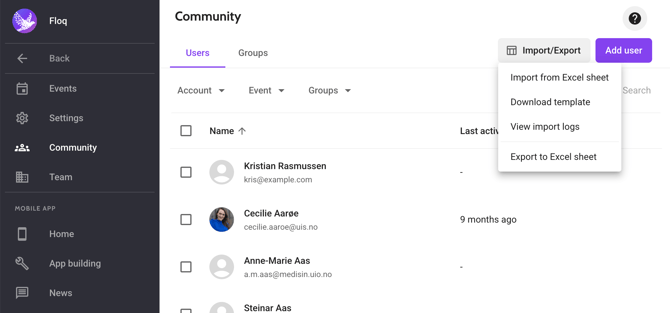
You can open the downloaded .xslx file in any spreadsheet editor.
Export attendee data
Open an event by selecting one in the event list.
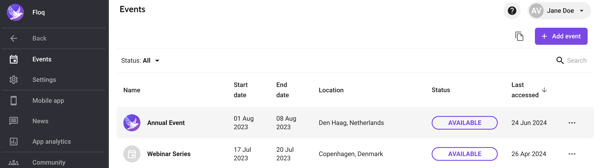
On the left side, go to Attendees and select the tab Attendees. In the top right corner, click Import/Export and choose Export to Excel sheet. The file containing attendee data will start downloading.
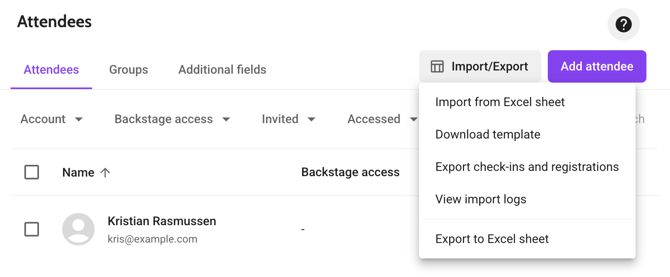
You can open the downloaded .xslx file in any spreadsheet editor.