![floq-logo-by-cc-2-white@2x.png]](https://knowledge.conferencecompass.com/hs-fs/hubfs/floq-logo-by-cc-2-white@2x.png?height=40&name=floq-logo-by-cc-2-white@2x.png)
Keep your event attendees up to date with the latest features and bug fixes by prompting them to update their app. This setting ensures everyone experiences your app with the most recent updates released in the app
Manage update notifications in app settings
In Floq Studio, you can control whether attendees receive prompt messages to update their mobile application when a new build is published.
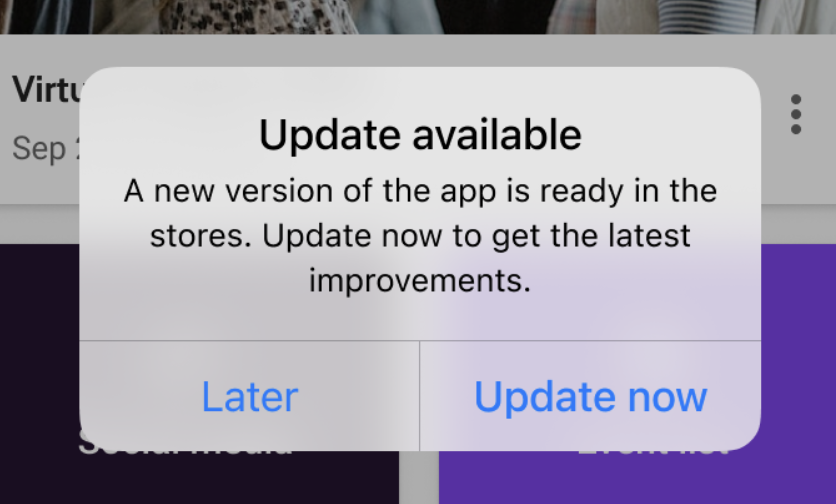
- Notify users about new app versions: Enabling this feature displays an update prompt to attendees right after they open the app whenever a newer version is live in the App Store or Google Play. Attendees can choose to update right away or choose to update later.
- Update deferred behavior: If an attendee selects the option to update later, the prompt message will not appear again until the next version is officially released.
👉 To turn on this setting, go to you event app > Click Settings > select the Advanced tab, and toggle on the Notify users about new app versions option. Save your changes to apply the updated setting to your app.
Troubleshooting
App update prompt not showing: If the attendee previously selected the option to update later, the message will not display again until your next release.
Attendees seeing outdated content: Attendees can go to the homepage and swipe down to get an automated Update button. For this particular popup, verify that the Notify users about new app versions setting is enabled under the Advanced tab in app settings.